
Recycle Bin and File Recovery
Use the recycle bin to find and restore deleted files that are still retained. It is not a permanent backup. Recovery depends on retention, whether the item was permanently deleted and your management permissions.
Choose a Scope
Open Recycle bin from the file sidebar and choose an available scope:
| Scope | Purpose | What to check |
|---|---|---|
| Deleted by me | Find items you deleted | Deletion time, name and original space |
| Deleted by others | Find accessible records of items deleted by other people | This does not expose every employee's recycle bin |
| Enterprise management | Authorized administrators manage enterprise deletion records | Check role, filters and administrative scope if unavailable or empty |
Scroll horizontally to view all columns
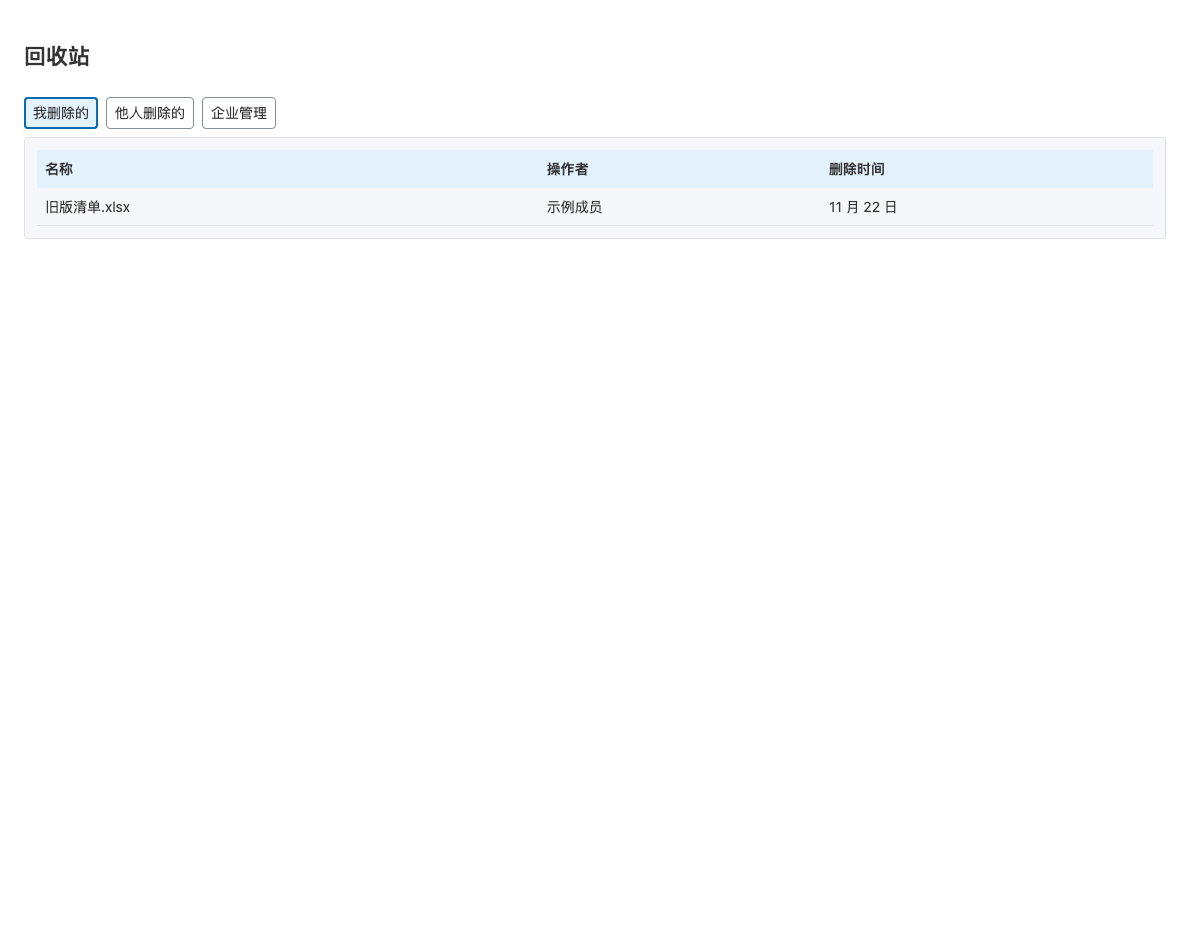
Restore an Accidentally Deleted File
Distinguish the entry point, list scope and action permissions. The enterprise-management tab is shown only to the relevant enterprise administrator. The other tabs return their respective scopes, not complete copies of the enterprise bin. Restore and permanent-delete commands also depend on selected item states; a visible button is not proof that the server will authorize or complete the action.
- Choose the appropriate scope and locate the item. Check available fields such as deleting user, deletion time, department, version and size.
- Select the required items and confirm restoration. Before a Restore All action, verify its scope to avoid restoring unrelated material.
- Inspect the result, then open the restored location and check the name, content, version and access permissions.
- Follow system prompts if the original parent is missing, a name conflicts or permissions are insufficient. Do not assume the system will overwrite, rename or recreate the original folder.
Retention and Permanent Deletion
Inside a deleted folder, the directory header may offer restoration or deletion of the current folder. This differs from selecting a child item in the list. Root locations and objects that were not directly deleted may not show the same commands; check the object name and confirmation scope.
Emptying the current role's scope does not establish final deletion at every administrative layer. Records may remain at the super-administrator level after a department-role clearing; see the Sync and recycle-bin FAQ. Ask an authorized administrator to check retained layers before assessing separate backups. Never empty a bin to test recovery.
See the File Recovery FAQ for the default retention period and administrator-adjustable range. Your enterprise configuration controls actual retention. Restore important files promptly rather than treating the recycle bin as long-term storage.
Before permanent deletion or emptying the bin, confirm the scope, retention requirements and available backups. Recovery through the recycle bin cannot be promised after permanent deletion or expiry. Use Managed Backup or an enterprise backup plan for employee-departure retention instead of relying solely on the bin.
If a File Is Missing
- Check your account, enterprise and the original personal, department, project or other space.
- Check scope and filters, including whether another person deleted it. Ask an appropriately authorized administrator if needed.
- Check the original folder or search to rule out a move, rename or revoked permission.
- Compare the deletion date with retention, then inspect logs and available backups. A missing list entry alone does not prove permanent deletion.
FAQ
Can I restore everything after emptying the bin?
This cannot be guaranteed. Identify the role or administrative scope that was cleared, and ask an authorized administrator to check any retained records. After final deletion or expiry, assess recovery against separate enterprise backups. Emptying is not a routine organization or recovery step.
Why can some people still not open a restored file?
Restoring a file does not grant access to everyone. Check the restored location, department or project membership, shares and file permissions.