
Managing Sent and Received Shares
My Share lists shares you initiated. Shared To Me lists material that others invited you to access. See Sharing and External Delivery for creating invitation and link shares.
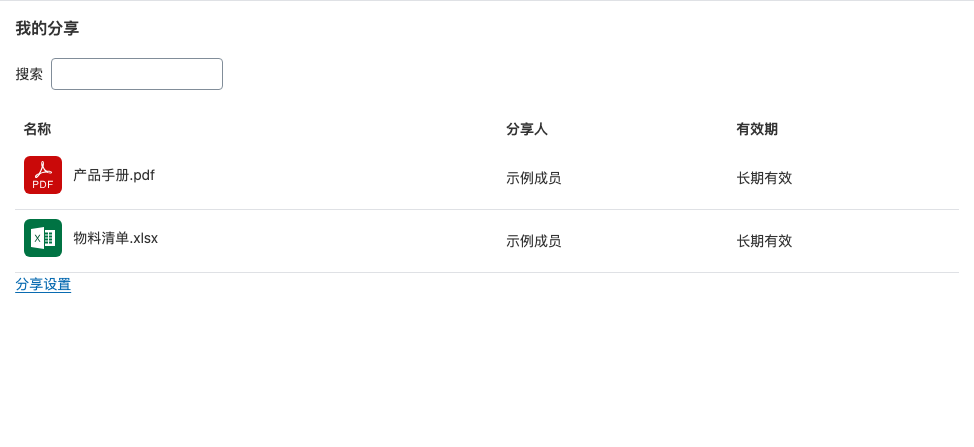
Find and Open a Share
- Choose My Share or Shared To Me according to whether you initiated or received the share.
- Locate the item by name and available person, time or status fields. Use the original-folder action when you need its source location.
- Open the file or folder and check its content. An invitation does not grant every operation; current viewing, download and editing permissions still apply.
- To change sharing settings, return to the source item's sharing entry. Manage invitation participants or link settings if authorized.
Manage the Two Share Types Separately
| Share type | Settings | Important distinction |
|---|---|---|
| Invitation sharing | Internal users, external phone numbers or emails, departments, groups and file permissions | Recipients sign in or verify identity with a code; unregistered external people can be invited |
| Link sharing | Enabled state, access permissions, password and expiry | Anyone holding a valid link can access as configured; passwords and expiry restrict access |
Scroll horizontally to view all columns
Inviting a department includes members of that department and all its subdepartments. Separate invitations for every subdepartment are not required. Changing share type cannot bypass disabled external sharing or classification restrictions on link sharing.
Change or Stop Sharing
- For an invitation, check the participant's identity before removing them or changing their file permissions.
- To stop link access, disable that link. To limit the remaining access window, adjust expiry. Communicate a changed password only to authorized recipients.
- Check the resulting settings and access. Approval requirements, security policy and file state may still affect the share.
These grants are independent. Removing an invited participant does not disable a public link. Disabling a link does not revoke department, project or other share permissions. Revoking a share cannot retrieve copies already downloaded by recipients.
FAQ
Why can an invited recipient still not access the file?
Check that the signed-in account or verified phone/email matches the invitation. Then check validity, source-file existence and required approvals. An external recipient need not first join the enterprise organization, but must verify the invited identity.
Is a public link invalid if it is missing from Shared To Me?
Not necessarily. Link access differs from an identity-based invitation. Check the link's enabled state, password, expiry and source file directly.
Does removing a share-list entry delete the original file?
Distinguish disabling a share or removing a participant from deleting the file. The first two manage access; deletion acts on the source object. Read confirmation prompts and do not delete a file merely to stop sharing it.